30 days
Free Trial
AUD 0
Then read-only view
- Every Ultra feature for 30 days
- Watermark on prints and exports
- After 30 days, the viewer stays in read-only mode
- No credit card
Request trial
No credit card. We email the trial file.

Viewer and analyser for project planners
Open XER files in the browser, with nothing to install. XERly reads the schedule on your computer: a P6-style activity table, a Gantt with WBS bands, Page Setup for print, DCMA 14, Look-ahead, a Weekly One-Pager, and Schedule Risk Analysis on Ultra.
No login. The demo opens a sample schedule only. The 30-day Free Trial unlocks every Ultra feature on your own files.
Sample layout of the activity table and Gantt, with WBS bands. These activities are illustrative, not a customer schedule. The orange bar is a critical activity.
Opens XER and MS Project XML in the browser. After the page has loaded, a file still opens with no network.
You do not need Primavera P6 installed, and you do not need a P6 licence on the machine.
The schedule is read in the browser. XERly does not need a copy of the file to draw the Gantt.
Perpetual licences, one machine, priced in AUD including GST, with 12 months of updates. No auto-renewal.
01 What do you need to do?
Each card takes you to the matching tools, and to the tier that includes them.
Look-ahead and the Weekly One-Pager, for the period from the data date.
In SuperDCMA 14, the quality score, and an Excel export of the findings.
In SuperOut-of-sequence progress and negative float drivers, on the current update.
In SuperThe Report PDF pack, the Weekly One-Pager, and Page Setup for print.
In Super02 Features
These tools are in the product now. Premium is the viewer. Super adds the planner checks and reports. Ultra adds Schedule Risk Analysis, cost and EVM, a second baseline, the time-phased hours grid, and XER export from MS Project.
Open a Primavera P6 XER file or a Microsoft Project XML file in the browser. Parsing runs on your computer.
A P6-style activity table beside a Gantt chart. WBS bands keep the hierarchy visible while you read the work.
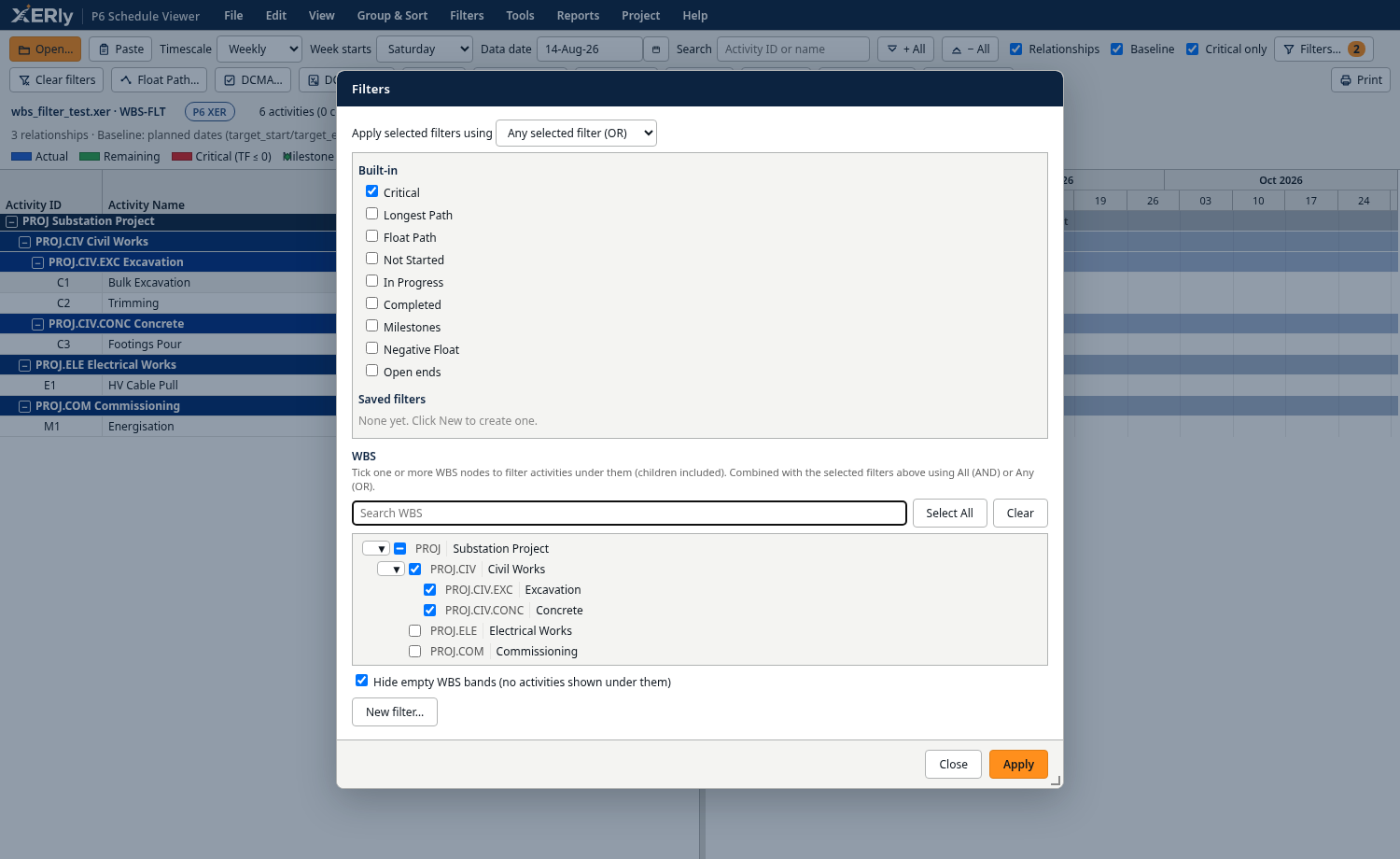
Filter the activity list, including a WBS tree, group by WBS, status, calendar or resource, and keep named views for the next time you open the file.
P6-style Page Setup scaling: adjust the percentage, fit pages wide × tall, or fit the timescale to a set number of pages, then print to PDF.
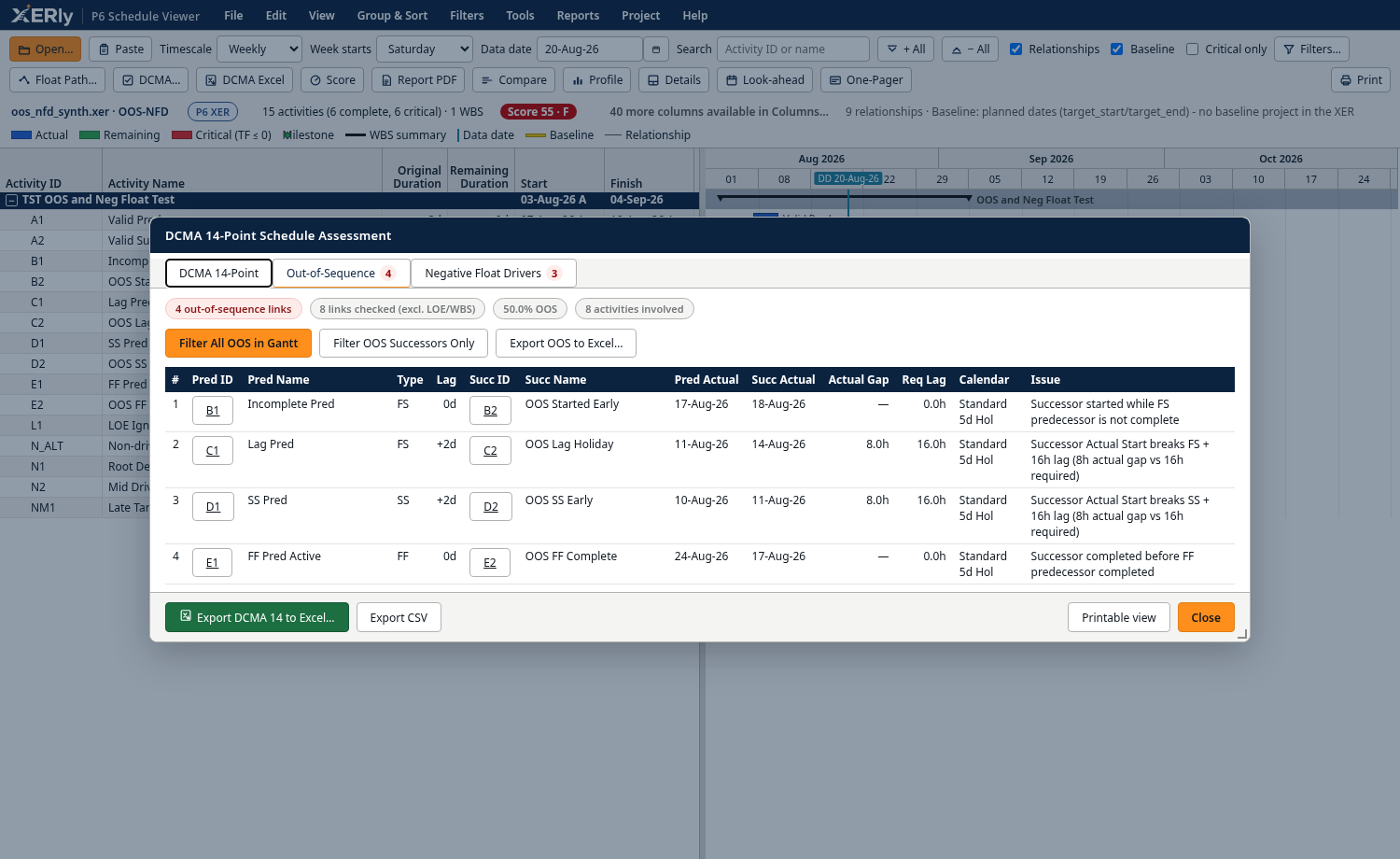
Run a DCMA 14 schedule health check, the quality score, out-of-sequence progress and negative float drivers, and export the detail to Excel. In Super.
See which activities started out of sequence, and which driving links sit behind negative float. In Super.
A 2, 3, 4 or 6 week Look-ahead from the data date, and a one-page weekly progress sheet. In Super.
The Report PDF pack, Excel exports, Update Comparison and the Resource Profile. In Super.
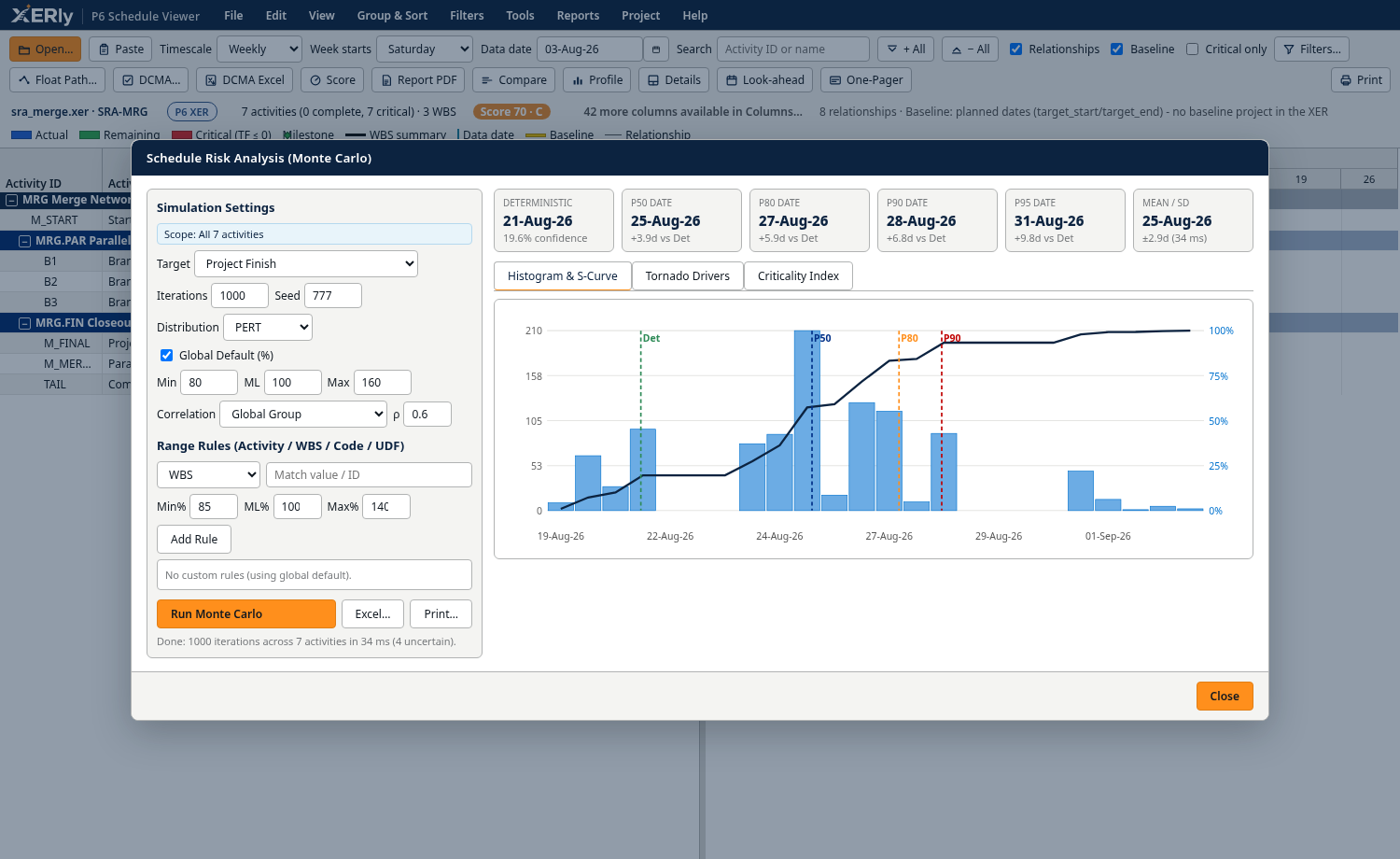
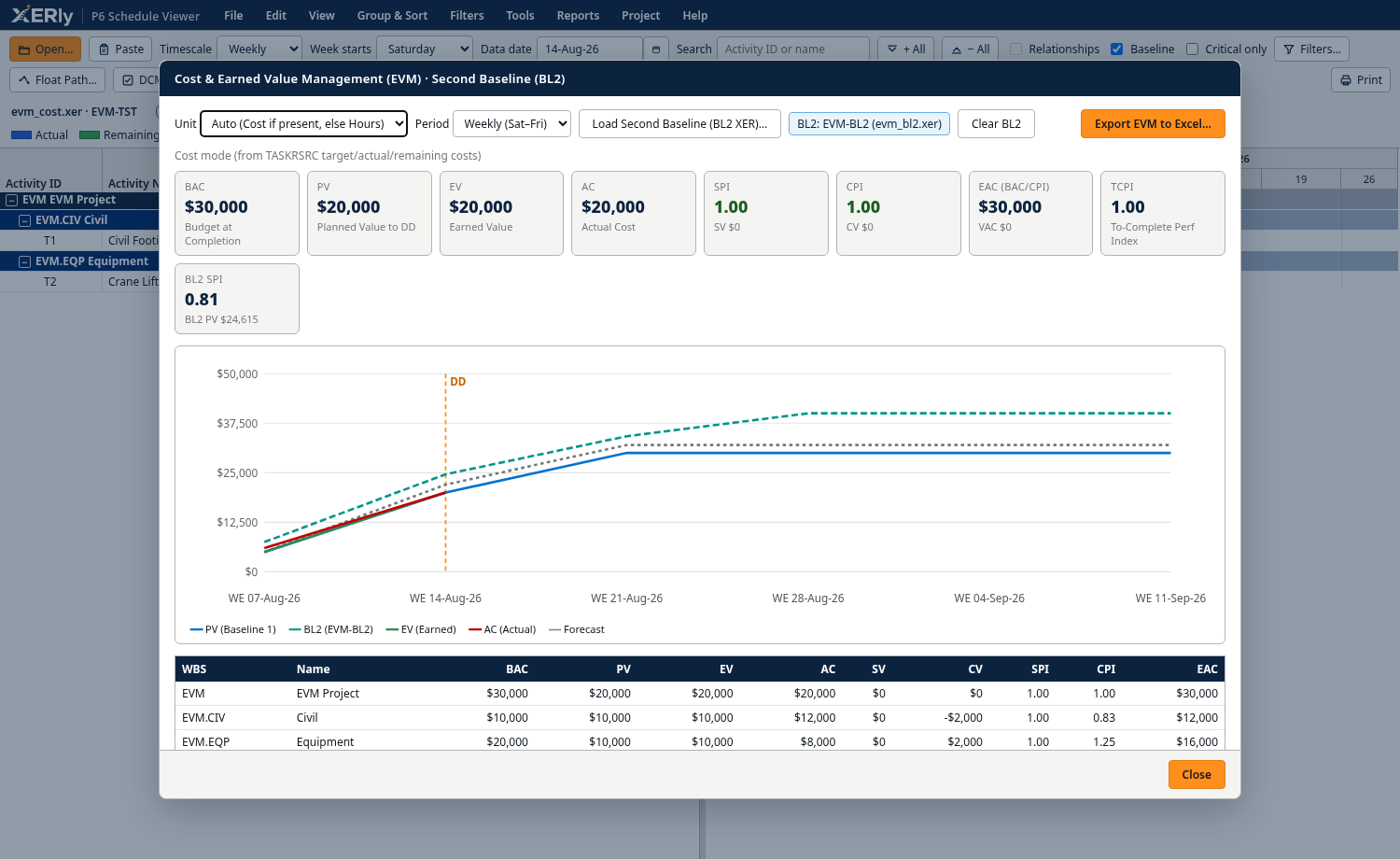
Monte Carlo P50, P80 and P90 dates, a tornado of drivers, cost and EVM, a second baseline, and the time-phased hours grid. In Ultra.
Open a Microsoft Project XML file and write a new P6 XER copy of it. The source file is not changed. In Ultra.
03 Why XERly
The file stays on your computer, a working planner in Perth builds the product, and the price is set for one person.
The viewer reads the schedule locally. Your XER or XML file is not uploaded to XERly to draw the Gantt or to run the checks that run in the browser.
Jaime Linchangco, a working planner in Perth, Western Australia, builds XERly through JVPCM Pty Ltd, a Perth-based company.
A 30-day Free Trial of every Ultra feature, then a perpetual Premium, Super or Ultra licence in AUD, including GST. One-time payment, no auto-renewal. Team pricing is available from 5 licences.
See it before you buy
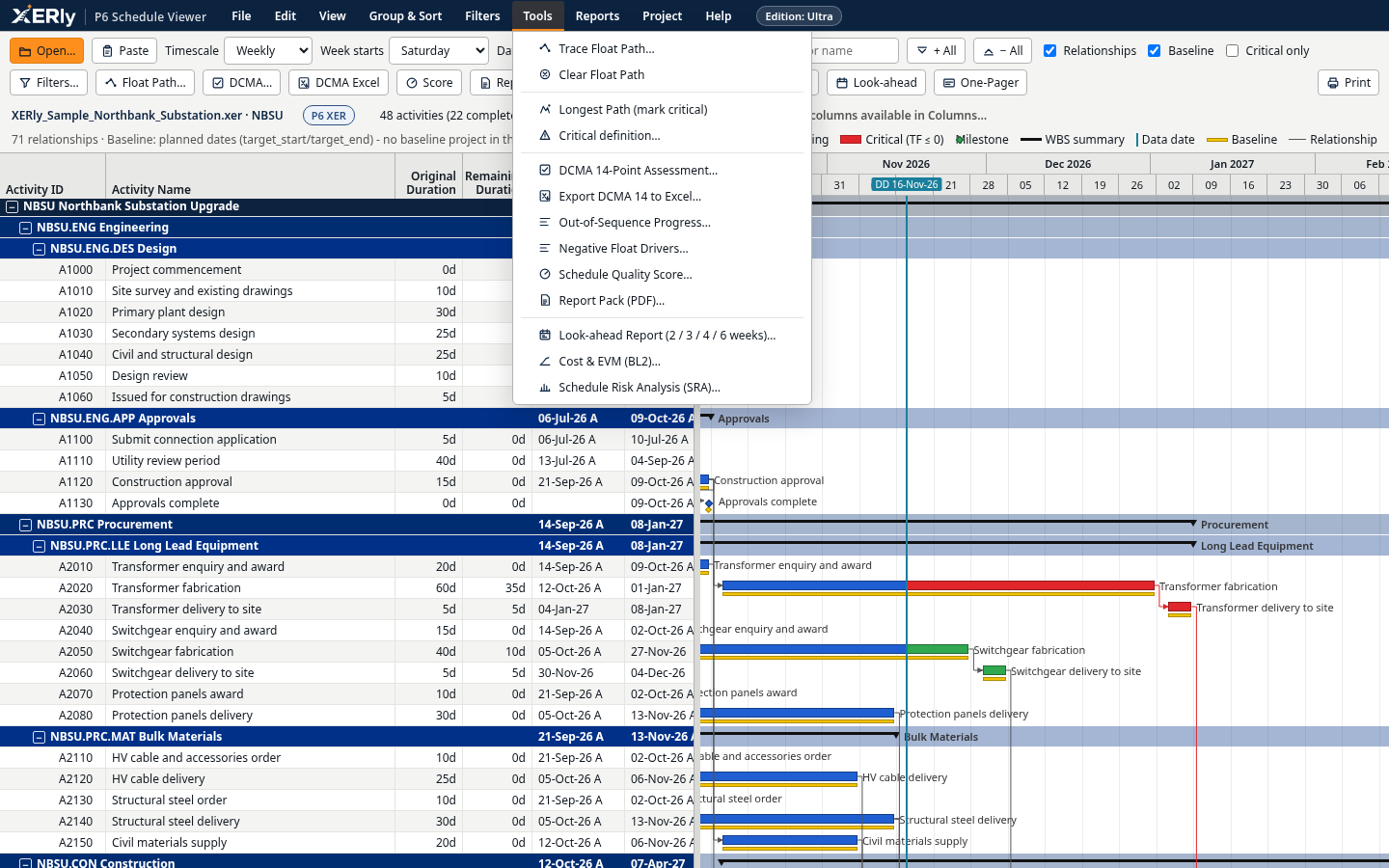
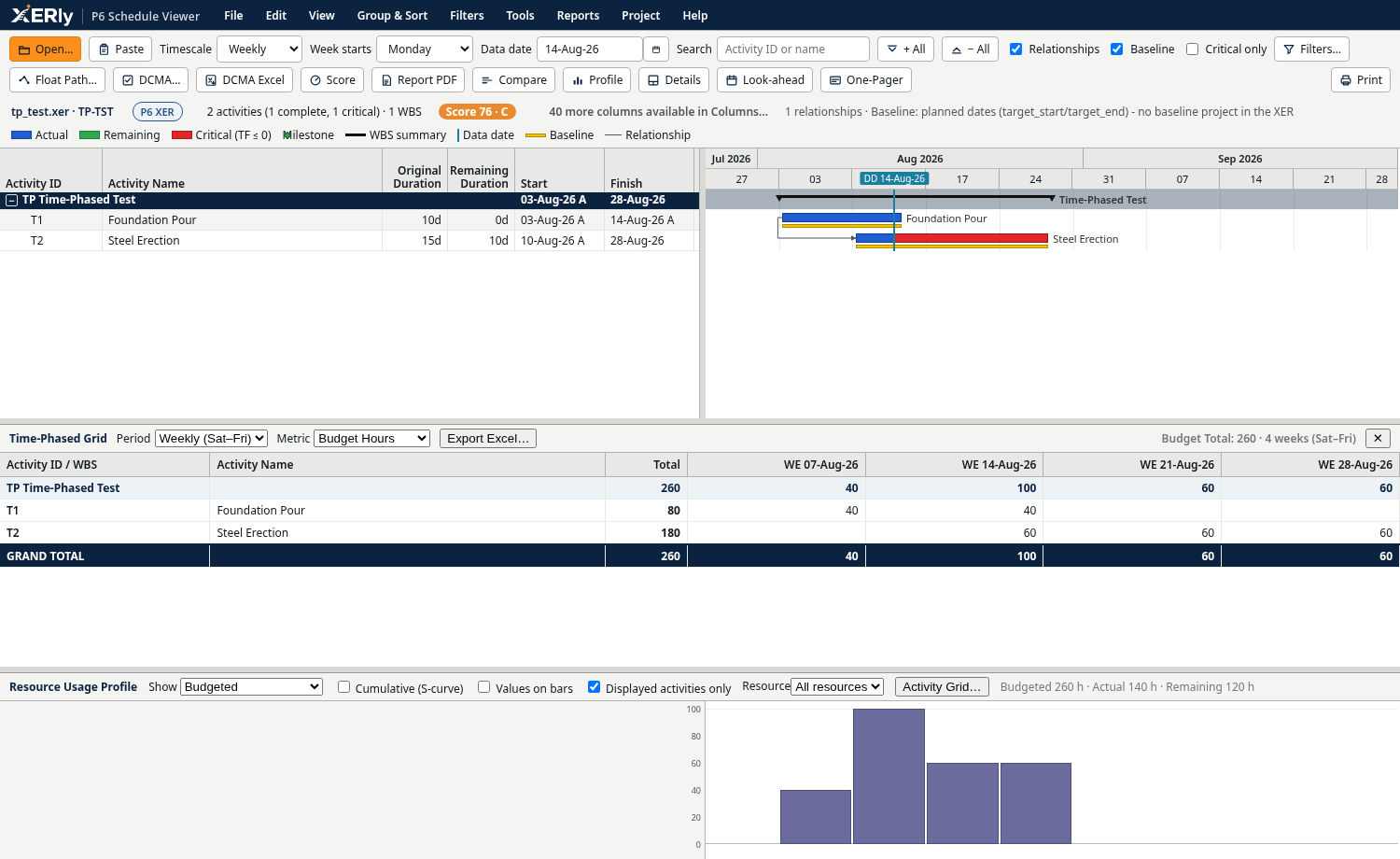
These screens were taken from the current viewer, opened on XERly sample and test files. No customer projects are shown.
04 Pricing, including GST
Perpetual licence, one machine, with 12 months of updates. Card checkout is a one-time payment, with no auto-renewal. Start with a 30-day Free Trial of every Ultra feature.
30 days
AUD 0
Then read-only view
No credit card. We email the trial file.
Viewer
AUD 79 perpetual
One machine, 12 months of updates
One-time payment. Perpetual licence. No auto-renewal.
Card checkout is not live yet. This button emails licence@xerly.com.au.
For planners
AUD 199 perpetual
One machine, 12 months of updates
One-time payment. Perpetual licence. No auto-renewal.
Card checkout is not live yet. This button emails licence@xerly.com.au.
Everything
AUD 349 perpetual
One machine, 12 months of updates
One-time payment. Perpetual licence. No auto-renewal.
Card checkout is not live yet. This button emails licence@xerly.com.au.
Why pay once
Premium, Super and Ultra are a one-time payment in Australian dollars, including GST. The licence is perpetual. Nothing renews automatically.
You pay once, including GST. There is no monthly plan and no auto-renewal.
DCMA, reports and Schedule Risk Analysis are in the tier you buy. You do not buy credits to run a check.
XERly is a file you open in the browser. You do not create an account to view a schedule.
After the page has loaded, you can open a file with no network. The schedule stays on your computer.
Free guide
A short PDF on how to export a project from Primavera P6, open the 30-day trial in your browser, and try Look-ahead, DCMA 14 and the Weekly One-Pager. The schedule stays on your computer.
Leave your name and email and we will send the guide, or download it now after you send the form.
Licence
Open XERly, copy the Machine Code from the licence window, and email it to licence@xerly.com.au with the tier you want. We will send a key for that computer. For 5 or more licences, ask for team pricing.
Write to licence@xerly.com.au. Put the tier in the subject, for example “XERly licence request - Super”, and include your Machine Code, name, company and email.
General questions can also go to hello@xerly.com.au.